

← All use cases
One report per store or region
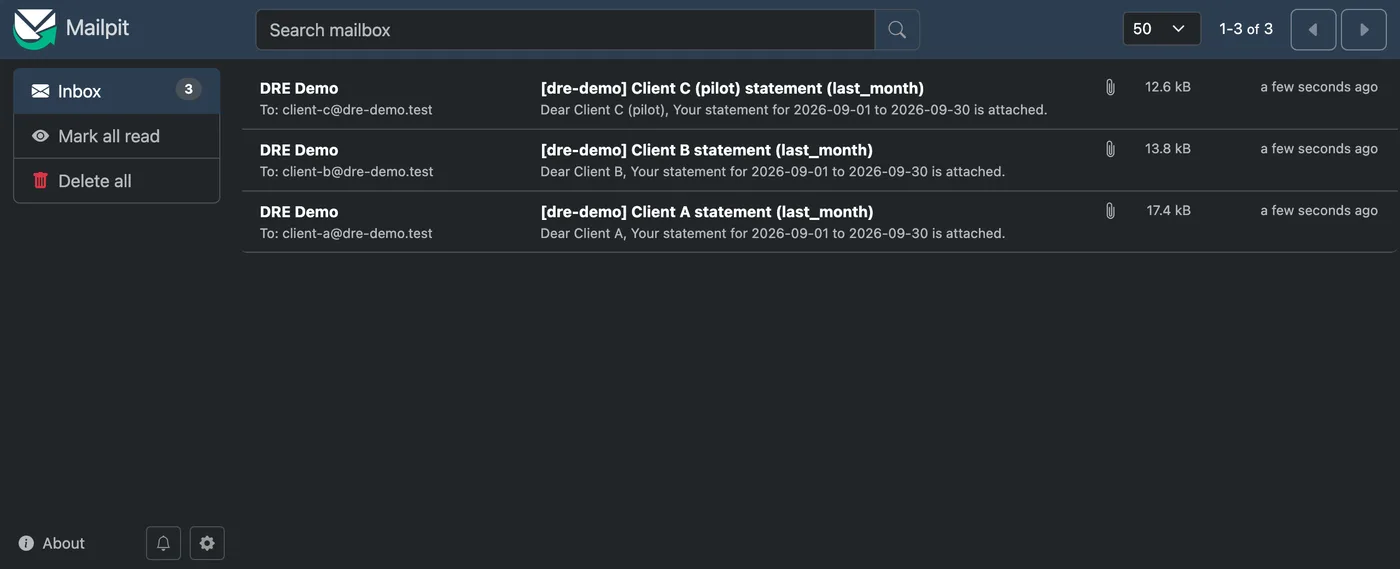
Every client, region or store gets its own statement: same layout, their data, their file name, their email address. A Set is a named variant of a report, so the SQL and the layout are written once.
↓ Download one client’s workbook (client A)
  - {query: statement_header, tab_name: Statement}
  - {query: statement_lines, tab_name: Orders}
output:
  format: xlsx
  destination:
    - {profile: local, path: "out/statements/{{ var('client') }}-{{ run.schedule or 'adhoc' }}-{{ run.date.yyyymmdd }}.xlsx"}
    - profile: mail_local
      to: "{{ var('recipient') }}"
      subject: "[dre-demo] {{ var('client_label') }} statement ({{ var('period') }})"
      body: "Dear {{ var('client_label') }},\n\nYour statement for {{ period(var('period')).start.date }} to {{ period(var('period')).end.date }} is attached."
sets: [client_a, client_b, client_c]
default_set: client_aclient_a: {vars: {client: client_a, client_label: "Client A", region_code: APAC, recipient: client-a@dre-demo.test}}
client_b: {vars: {client: client_b, client_label: "Client B", region_code: EMEA, recipient: client-b@dre-demo.test}}
client_c: {vars: {client: client_c, client_label: "Client C (pilot)", region_code: NAM, recipient: client-c@dre-demo.test}}dre run client_statement --set all