

← All use cases
Totals, row formulas and column formulas
The SQL puts a placeholder column where a formula should go, and the YAML says what the formula is. {name} stands for that column’s cell on the same row, and {name:*} for the whole column. DRE writes real Excel formulas, so your users can keep working in the sheet.
| A | B | C | D | E | |
|---|---|---|---|---|---|
| 1 | region_name | orders | units | net | avg_order |
| 2 | Asia Pacific | 81 | 440 | 67,833.98 | 837.46 |
| 3 | Europe, Middle East & Africa | 49 | 242 | 39,510.48 | 806.34 |
| 4 | Latin America | 26 | 127 | 17,461.62 | 671.60 |
| 5 | North America | 40 | 175 | 27,824.30 | 695.61 |
| 6 | All | 196 | 984 | 152,630.38 | 778.73 |
Column total
A totals row under the data. Choose sum, count, average, min or max per column. The label (All) comes from totals_label.
YAML
orders: {total: sum}Excel
B6: =SUM(B2:B5)Row formula
{net} is the net cell on the same row. One formula in the YAML becomes one formula per row, and it keeps working if someone edits a number.
YAML
formula: "=IFERROR({net}/{orders},0)"Excel
E2: =IFERROR(D2/B2,0), and the same for every rowFormula over whole columns
{net:*} is the whole net column of the data. Use it for a total that isn’t a plain sum, such as an overall average.
YAML
total: "=SUM({net:*})/SUM({orders:*})"Excel
E6: =SUM(D2:D5)/SUM(B2:B5)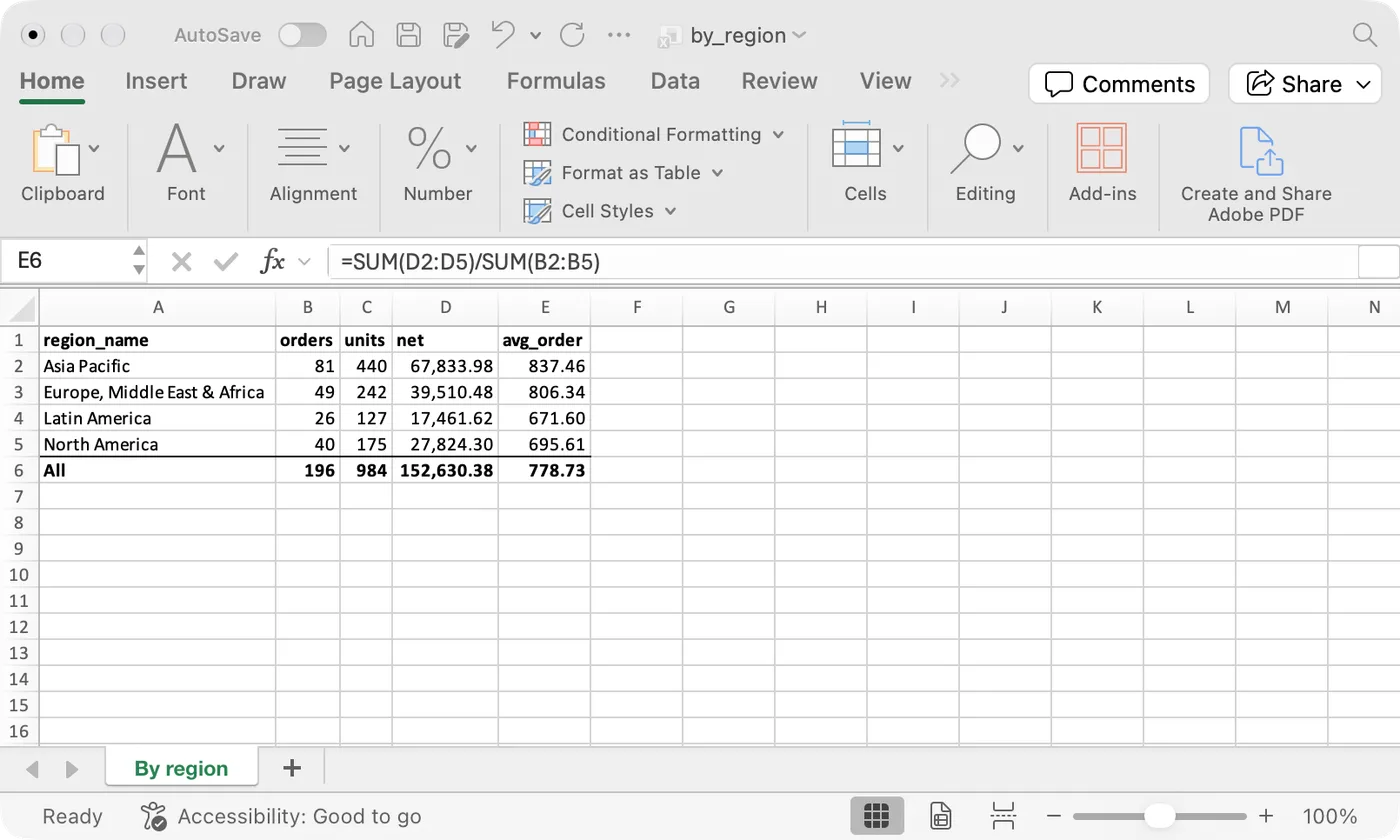
↓ Download the workbook (by_region.xlsx)
queries:
  - query: sales_by_region
    tab_name: By region
    columns:
      orders: {total: sum}                       # a total under the column
      units: {total: sum}
      net: {total: sum}
      avg_order:
        formula: "=IFERROR({net}/{orders},0)"    # a formula on every row
        total: "=SUM({net:*})/SUM({orders:*})"   # a formula over whole columns
output:
  format: xlsx
  totals_label: All
  columns:
    net: {format: "#,##0.00"}
    avg_order: {format: "#,##0.00"}
destination: {profile: local, path: "out/by_region.xlsx"}select
region_name,
count(distinct order_id) as orders,
sum(qty) as units,
sum(net_amount) as net,
sum(net_amount) / count(distinct order_id) as avg_order -- placeholder for the formula
from {{ ref('paid_order_facts') }}
where order_date between '2026-09-01' and '2026-09-30'
group by 1 order by 1dre run by_region